Release Pipeline
WhatIF has two release pipelines: one for the web application and one for the API, each with its own artifact, task sequence, and variable set.
Web release pipeline
The web release pipeline (owlsure-whatif-web-release) deploys the Angular web application using the owlsure-whatifweb artifact.
-
Create Webapp (Azure PowerShell): Creates a new Azure App Service if one does not already exist. Executes only when
CreateNewWebAppis set totrue.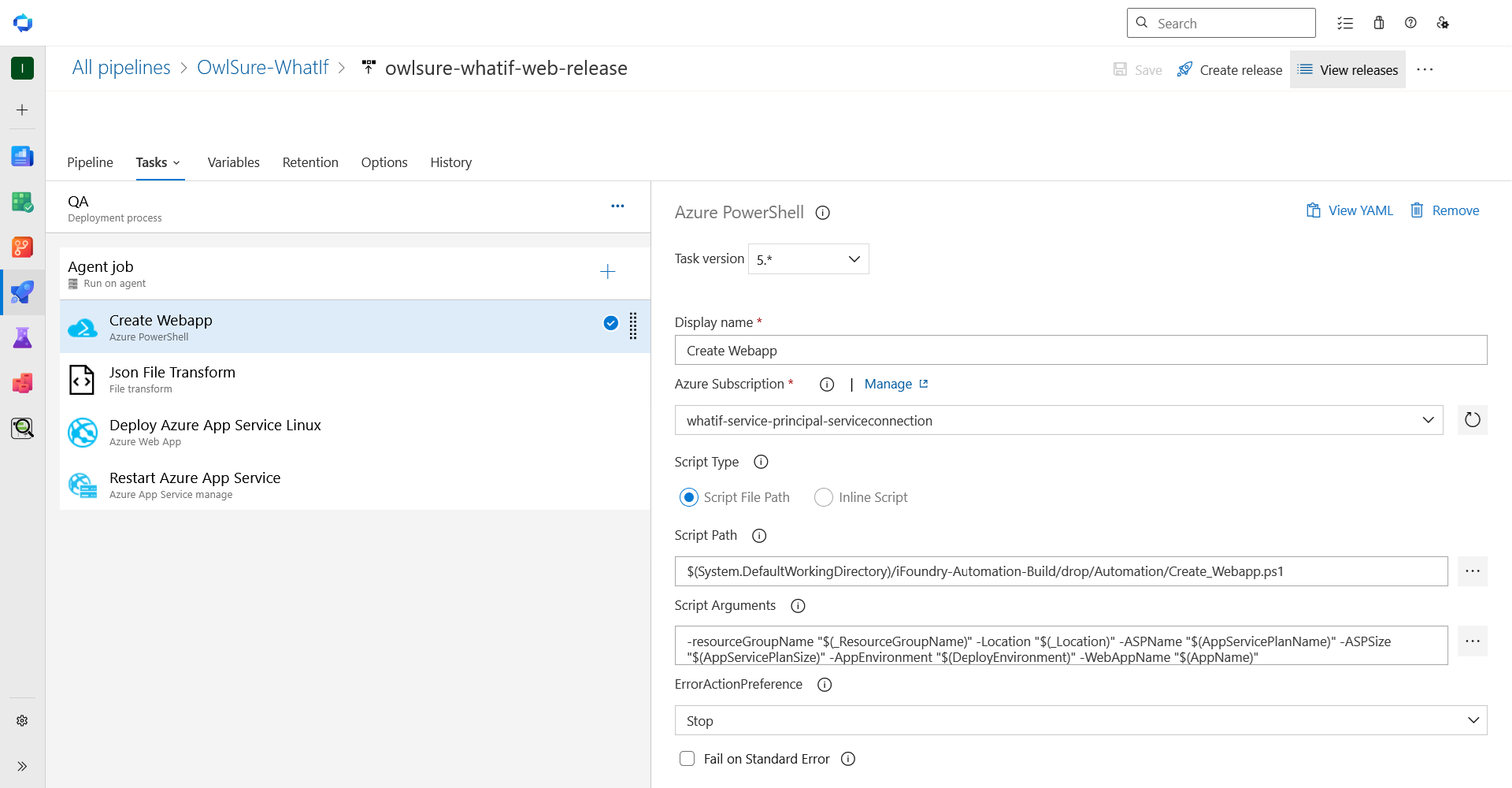
-
JSON File Transform: Replaces bracketed placeholders in
server-computed.jsonwith pipeline variable values.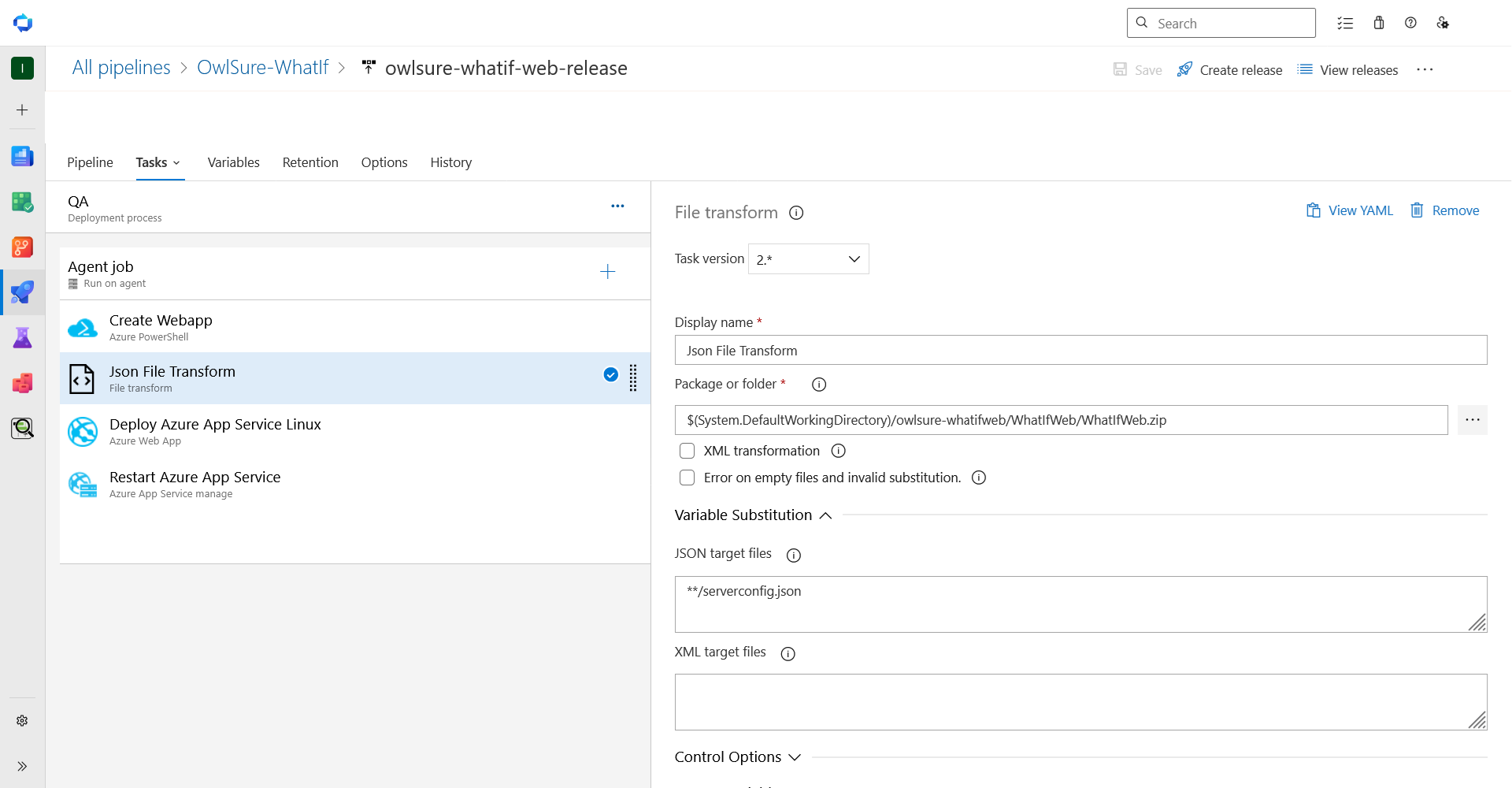
-
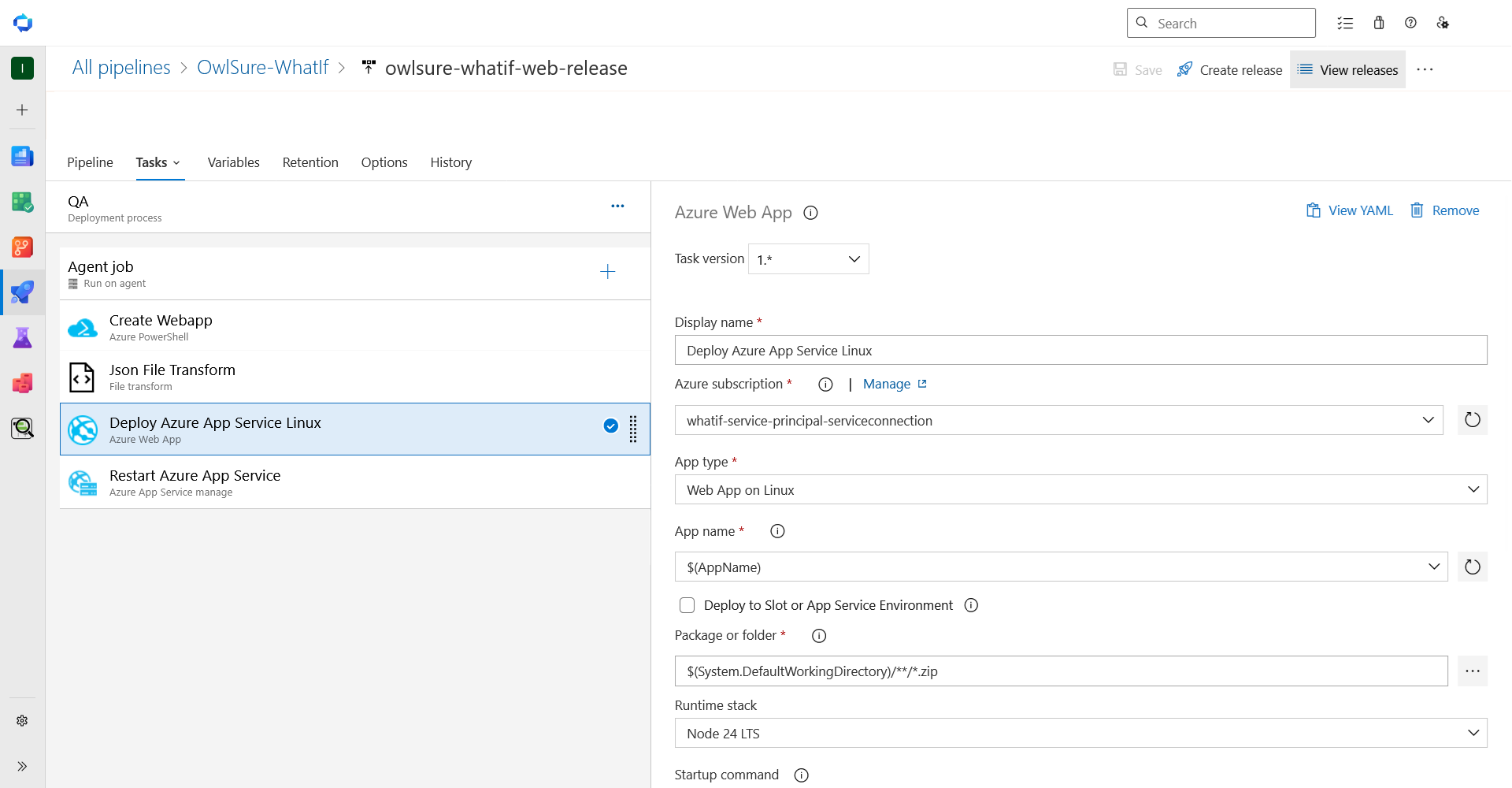
Deploy Azure App Service Linux: Deploys the compiled web application to the App Service.
-
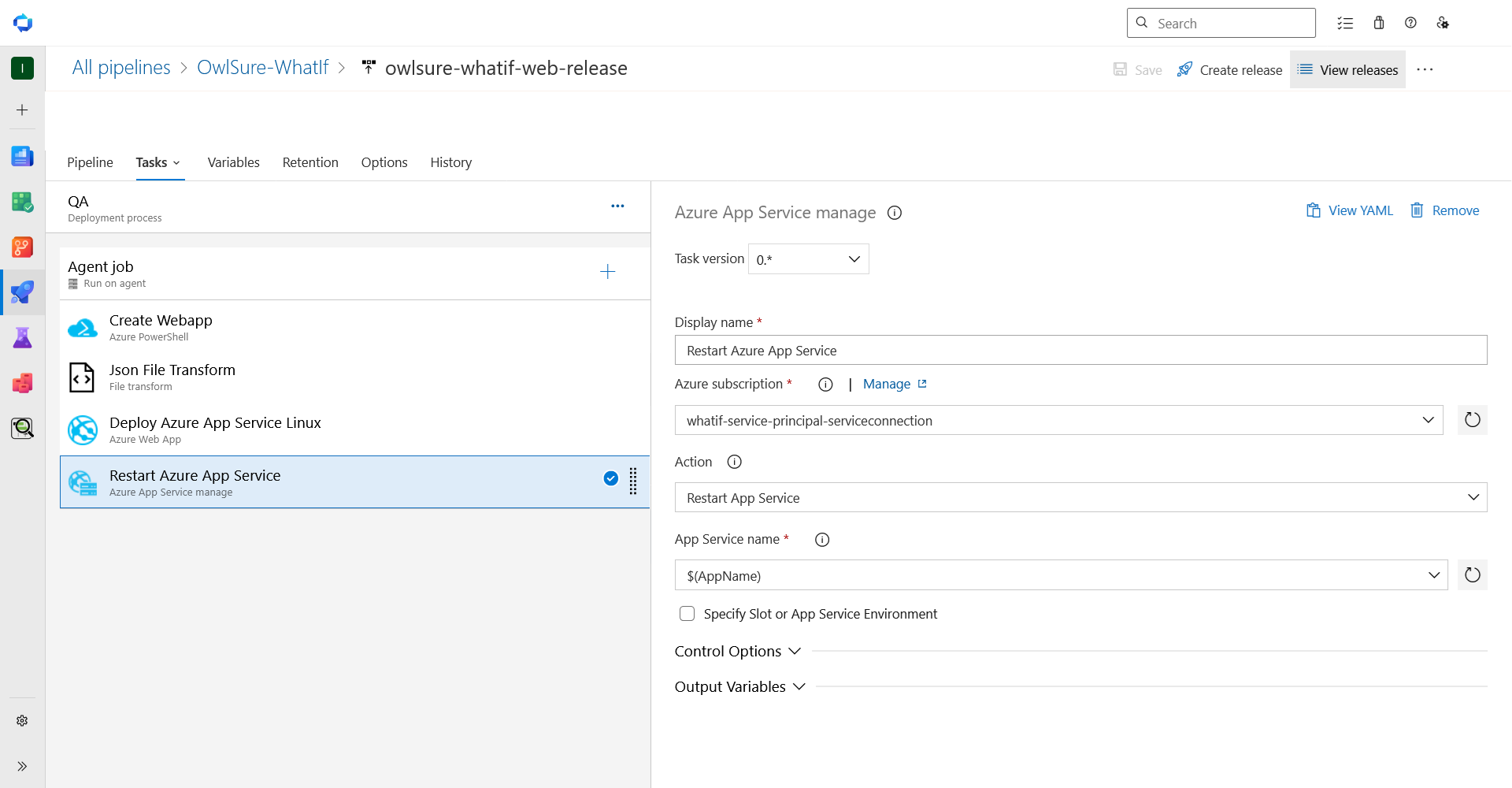
Restart Azure App Service: Restarts the App Service to load the new build and configuration.
API release pipeline
The API release pipeline (owlsure-whatif-api-release) deploys the .NET 10 API using the owlsure-whatifapi artifact.
-
Create Webapp (Azure PowerShell): Creates a new Azure App Service if one does not already exist. Executes only when
CreateNewWebAppis set totrue.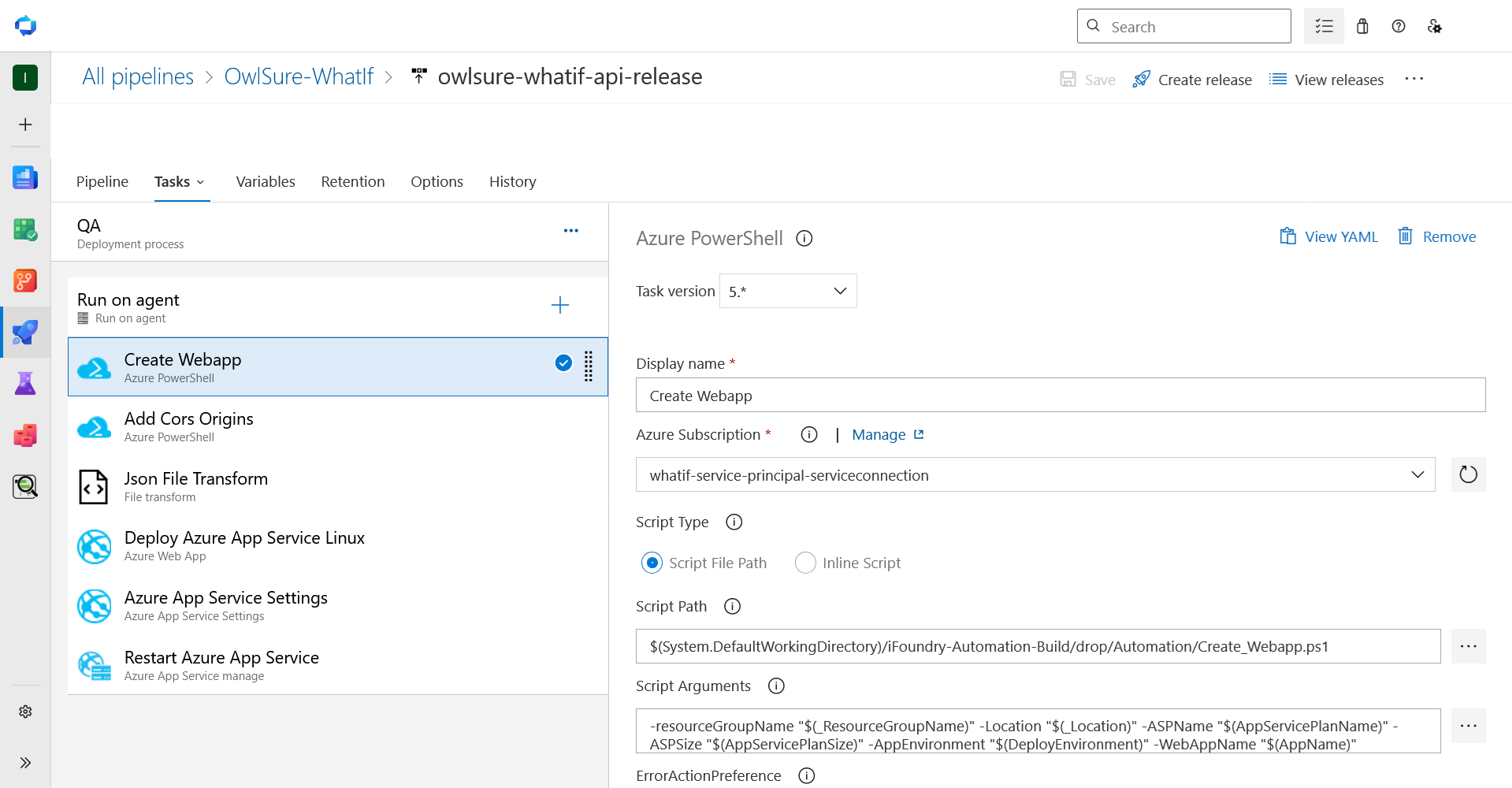
-
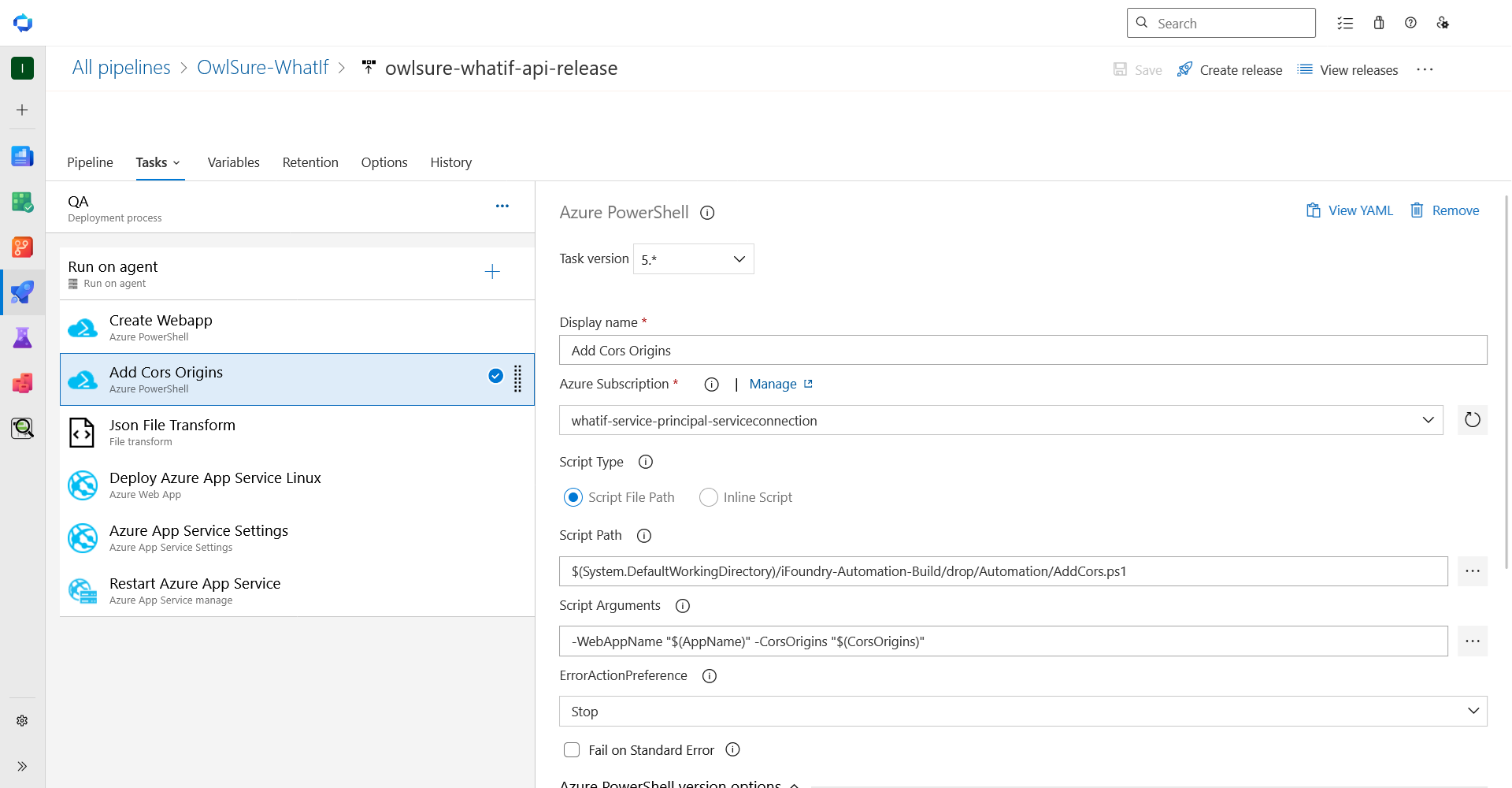
Add CORS Origins (Azure PowerShell): Adds the configured allowed origins to the CORS configuration.
-
JSON File Transform: Replaces bracketed placeholders in
appsettings.jsonwith pipeline variable values.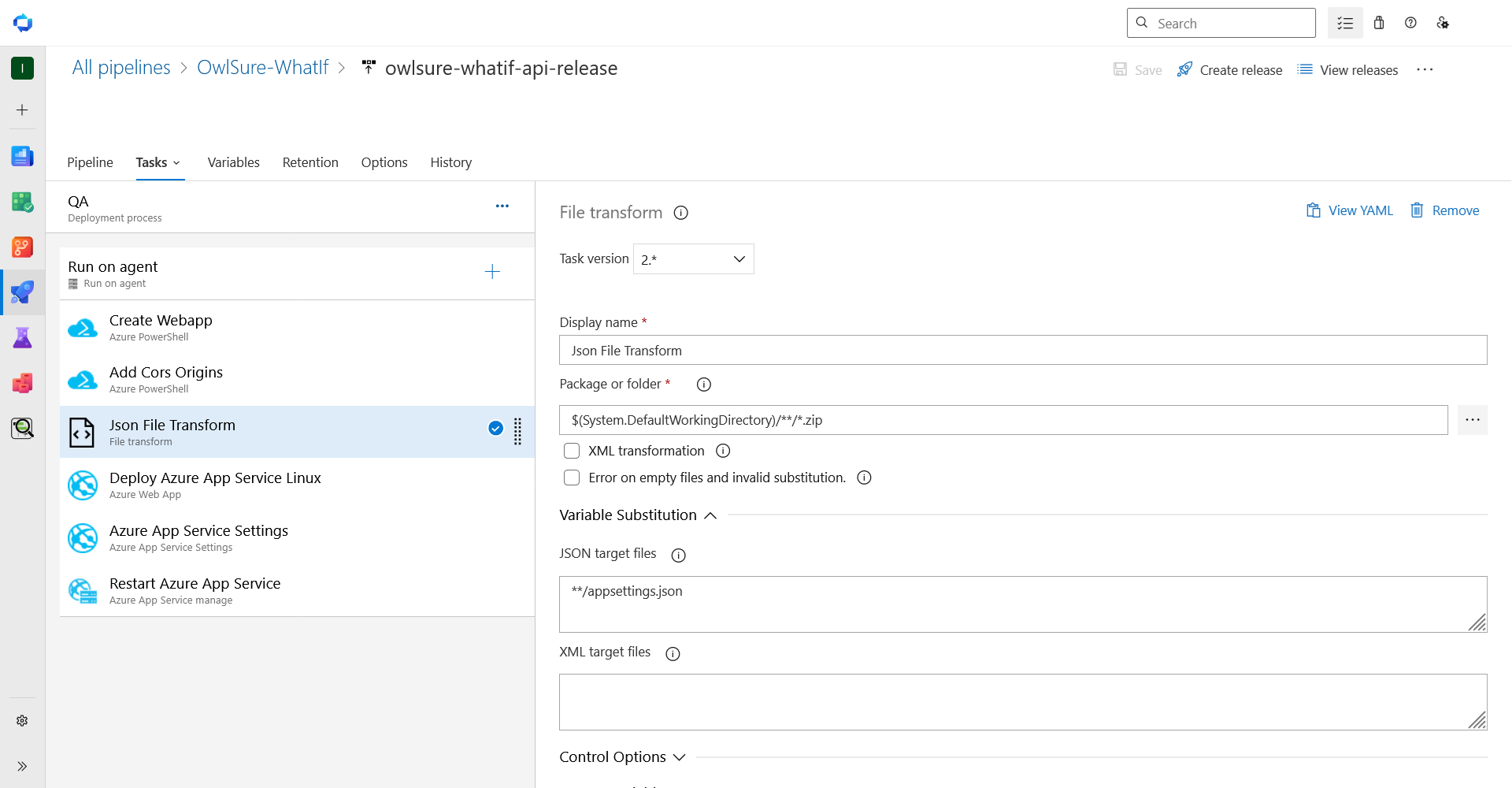
-
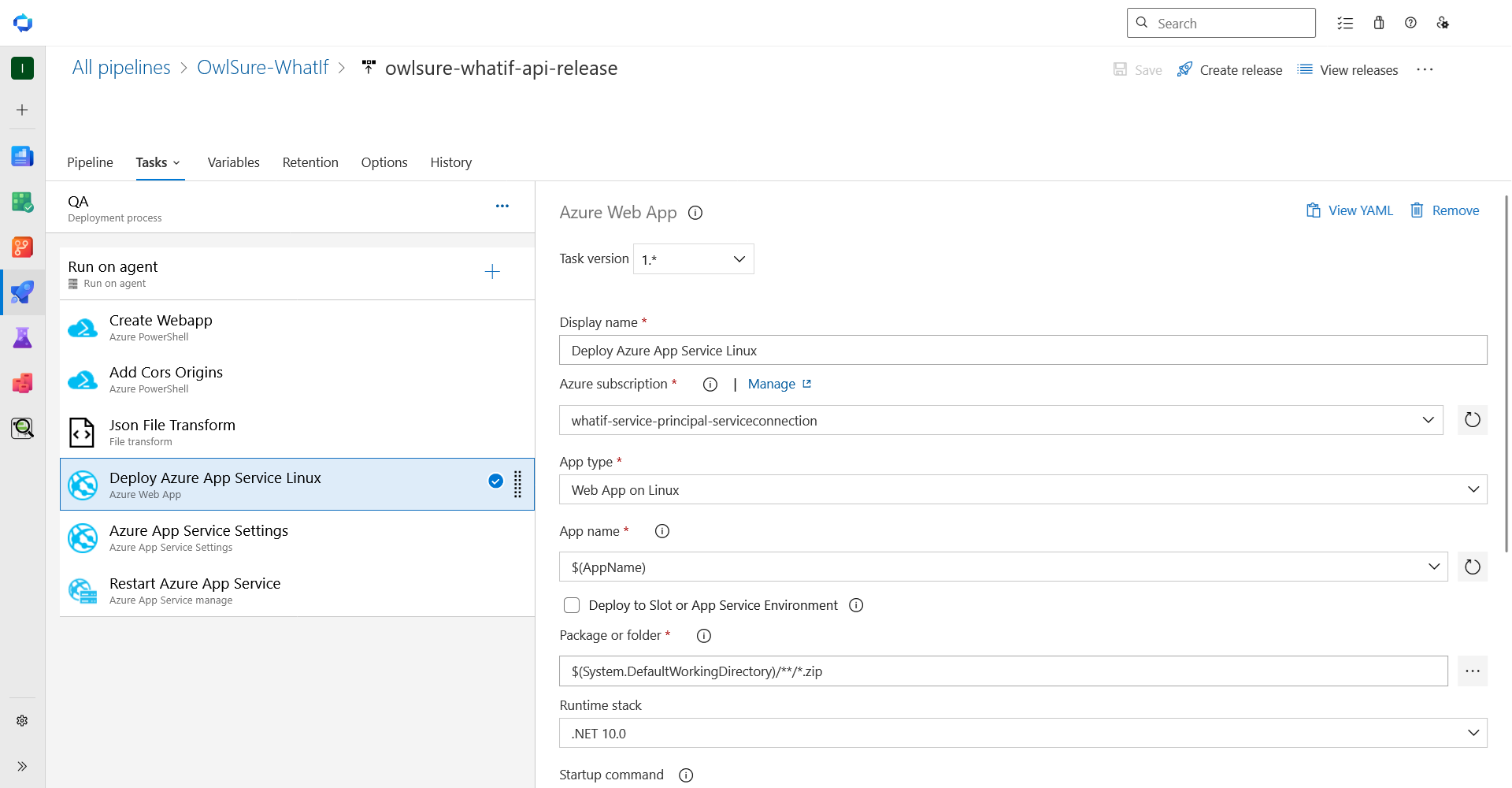
Deploy Azure App Service Linux: Deploys the API application to the App Service.
-
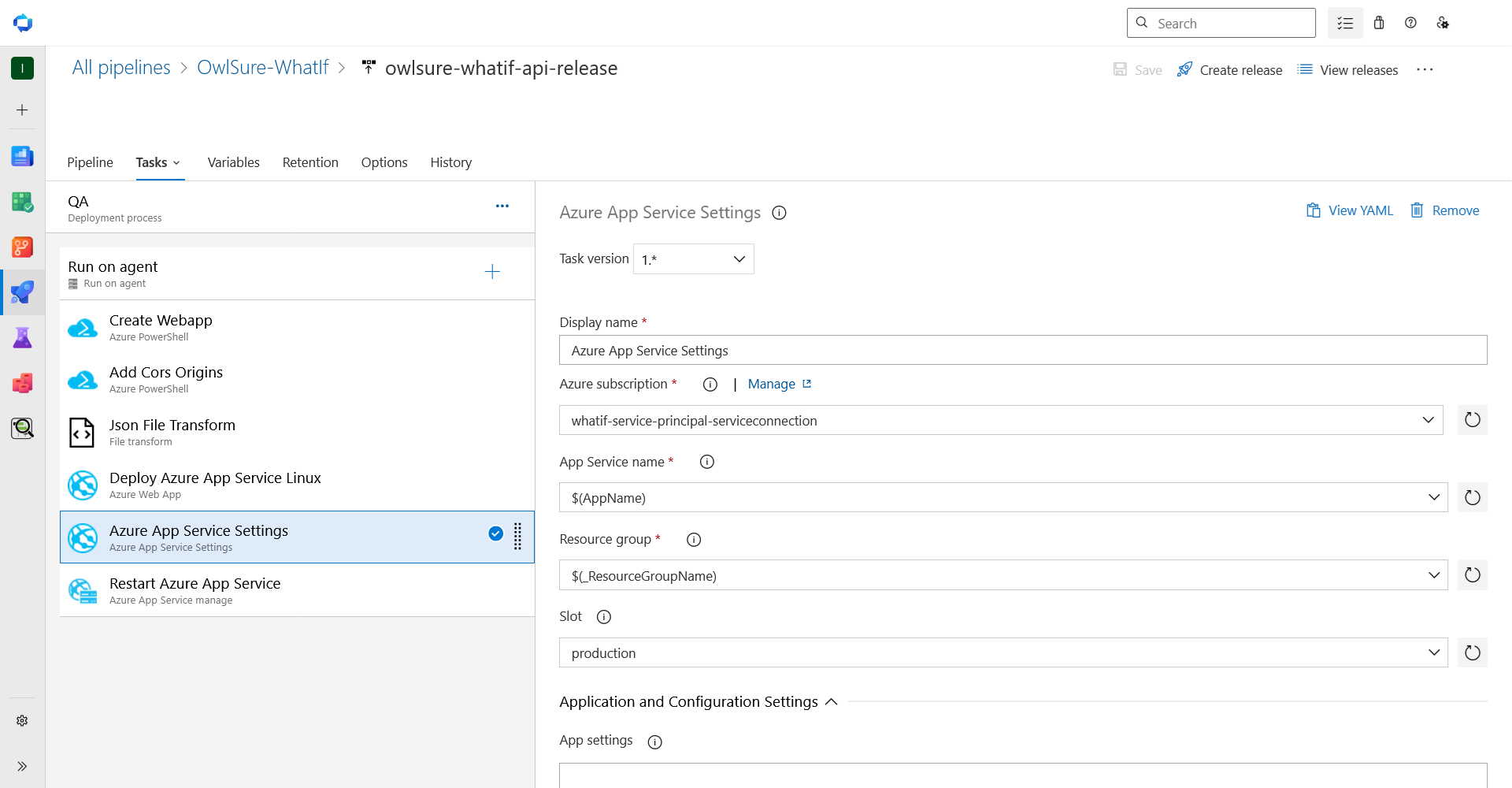
Azure App Service Settings: Applies connection strings and application settings to the App Service.
-
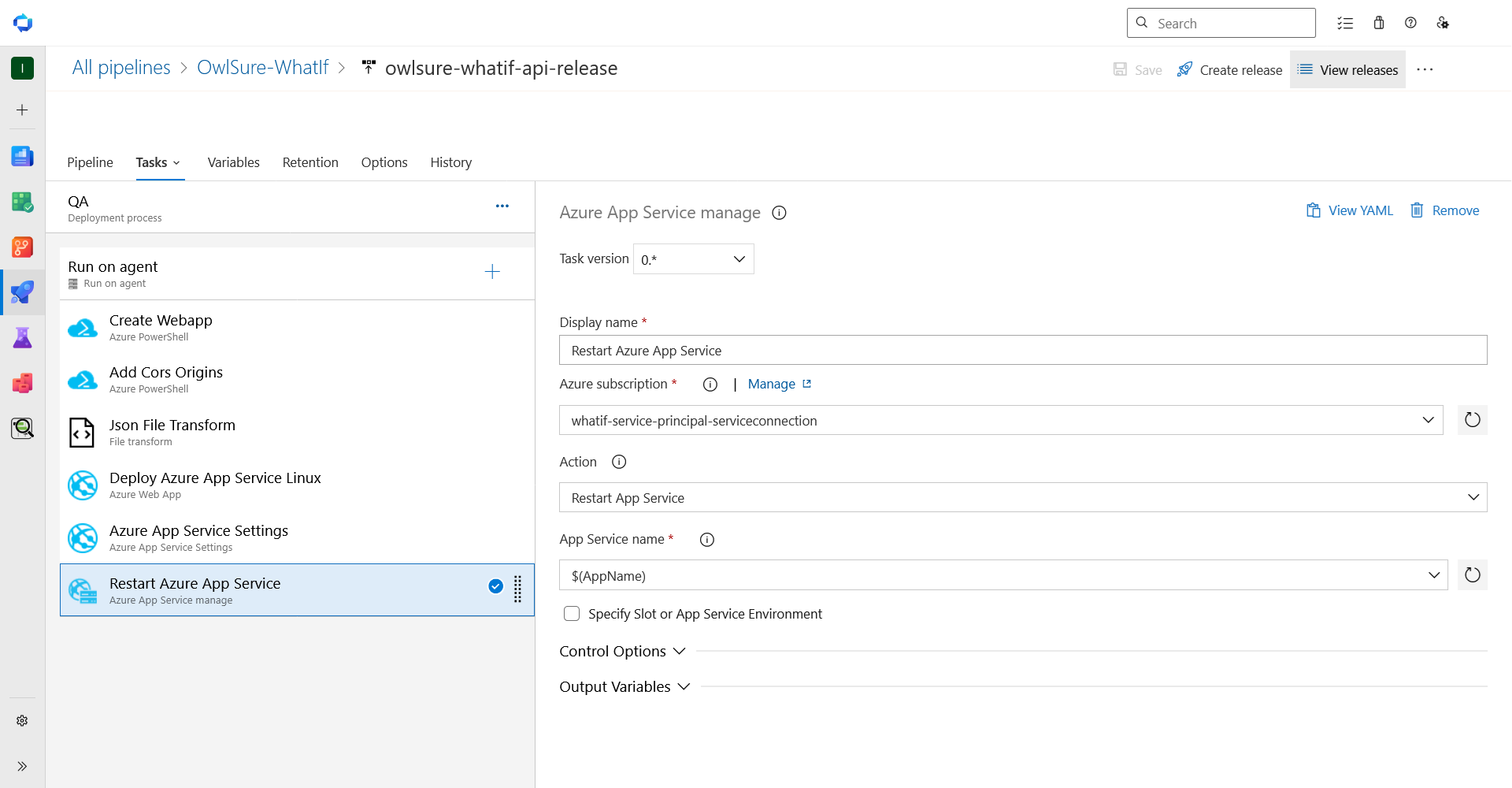
Restart Azure App Service: Restarts the App Service to load the new deployment and settings.
Pipeline variables
The full variable reference for both pipelines is in Pipeline Variables.
Exporting and importing pipelines
Variables stored in variable groups are not included in the export and must be configured independently in the target environment.
Export a pipeline
In Azure DevOps, open the release pipeline, click Export, and save the generated JSON file.
Import a pipeline
- In Azure DevOps, navigate to Pipelines > Releases.
- Click New > Import release pipeline and upload the exported JSON file.
- Update all variable values for the target environment, then save and run the pipeline.