Dashboard Overview
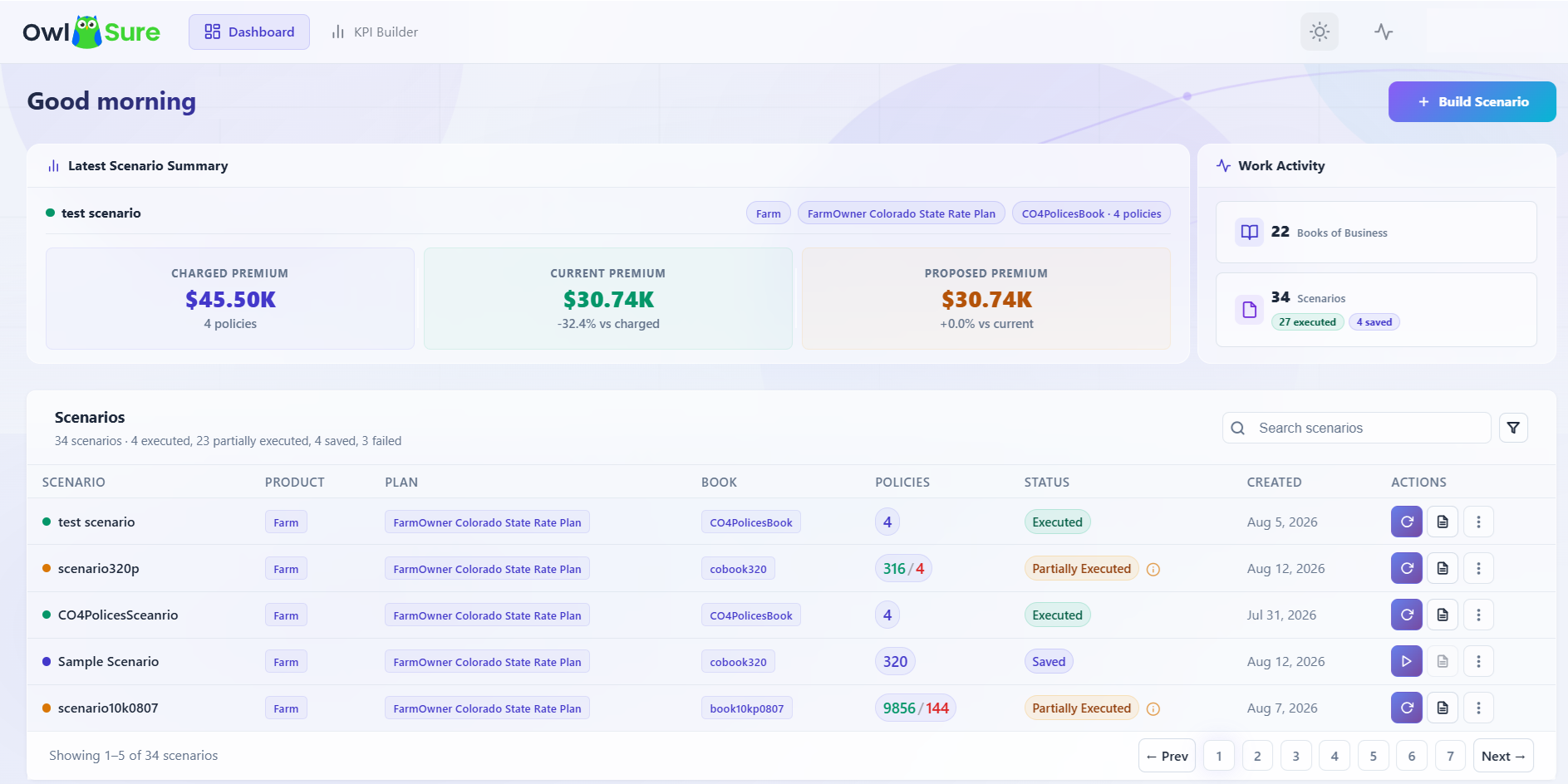
The dashboard provides a centralized workspace for monitoring, managing, and executing portfolio rate analysis scenarios within the What-If platform. It delivers a consolidated view of scenario activity, premium comparison metrics, execution status, and portfolio analysis insights to help business and actuarial users evaluate pricing impacts efficiently.
The dashboard supports end-to-end scenario lifecycle management, allowing users to create new scenarios, execute saved scenarios, review analysis outputs, and monitor execution status. Integrated search and filtering capabilities enable users to quickly locate and manage scenarios for review, execution, or comparison.
The dashboard also includes an Environment Health Check capability, enabling users to validate the connectivity and operational readiness of configured environments. By selecting a product and environment, users can perform health verification checks across platform integrations and services - confirming environment availability, deployment accessibility, and system responsiveness before executing What-If analysis workflows. This helps administrators and business users proactively identify connectivity or configuration issues before they impact analysis operations.
The Scenario List and Books of Business
The scenario list on the dashboard is scoped to a selected Book of Business. This means the list only shows scenarios that were built against the book currently selected. If you switch to a different book, the list updates to show only the scenarios associated with that book.
If the scenario list is empty, one of the following applies:
| Reason | What to do |
|---|---|
| No Book of Business has been selected | Select a book from the Book of Business selector on the dashboard to load its associated scenarios. |
| No Book of Business exists yet for this product | Click Build Scenario to create your first book as part of the scenario creation workflow. |
| A book is selected but no scenarios have been created against it | Click Build Scenario to create your first scenario for this book. |
| Your account has not been assigned access to any products | Contact your administrator to confirm your product access and permissions are correctly configured. |
Note: Premium metrics such as Charged, Current, and Proposed Premium are only populated after at least one scenario has been executed. If no scenarios have been run yet, these values will not appear.
Having trouble? Refer to our FAQs or Troubleshooting guide to know more.