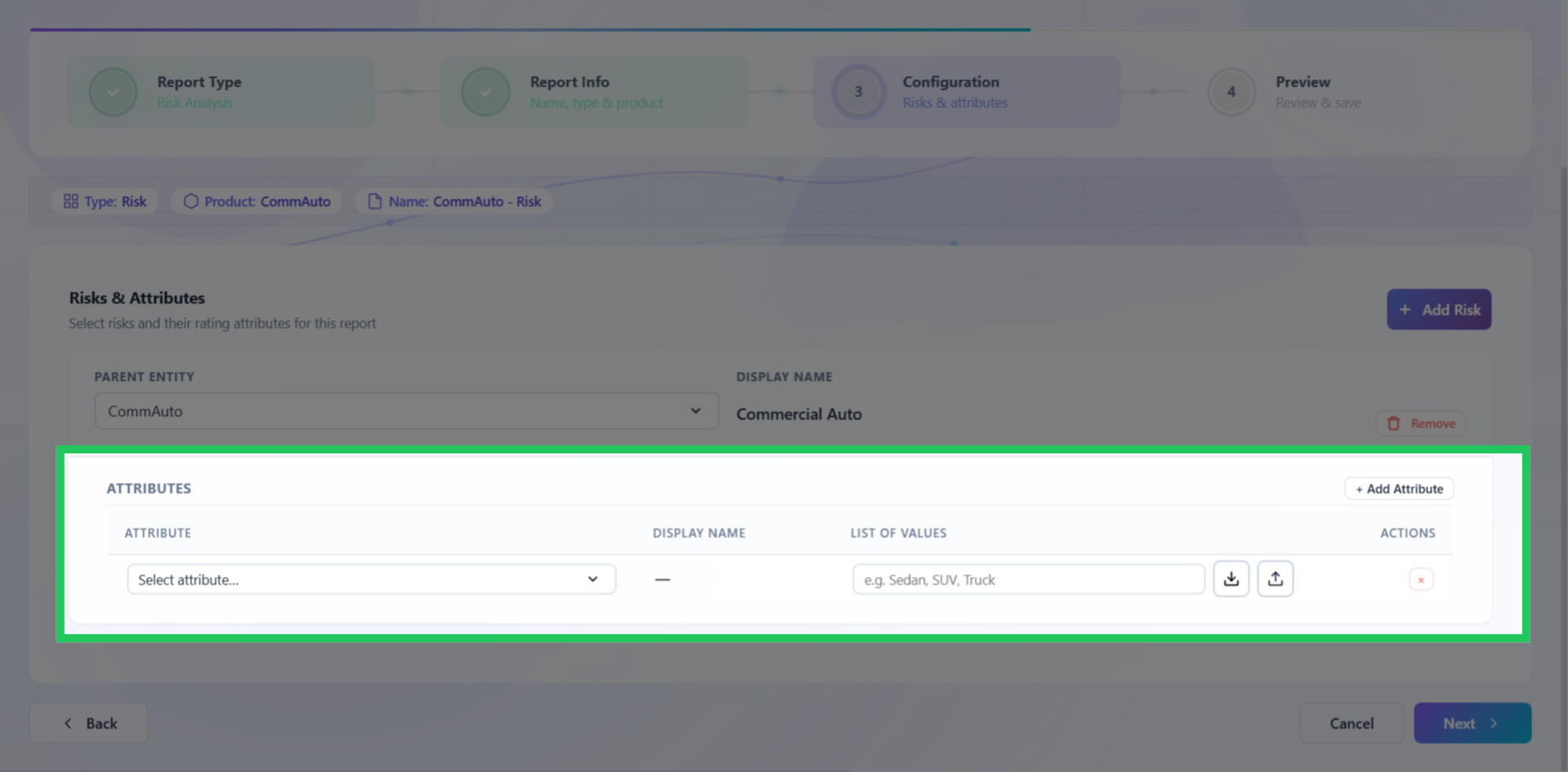
Configuring Risks and Coverages
With the report information defined, this step maps the risks, coverages, or attributes that will form the analytical structure of the report. The options available here depend on the report type selected earlier - for example, a Risk Insights configuration will present risks and risk attributes, while a Coverage Insights configuration will present coverages. This mapping determines what dimensions are available for filtering, segmentation, and drill-down analysis when the report is used in a scenario.
Configuring a Risk or Coverage
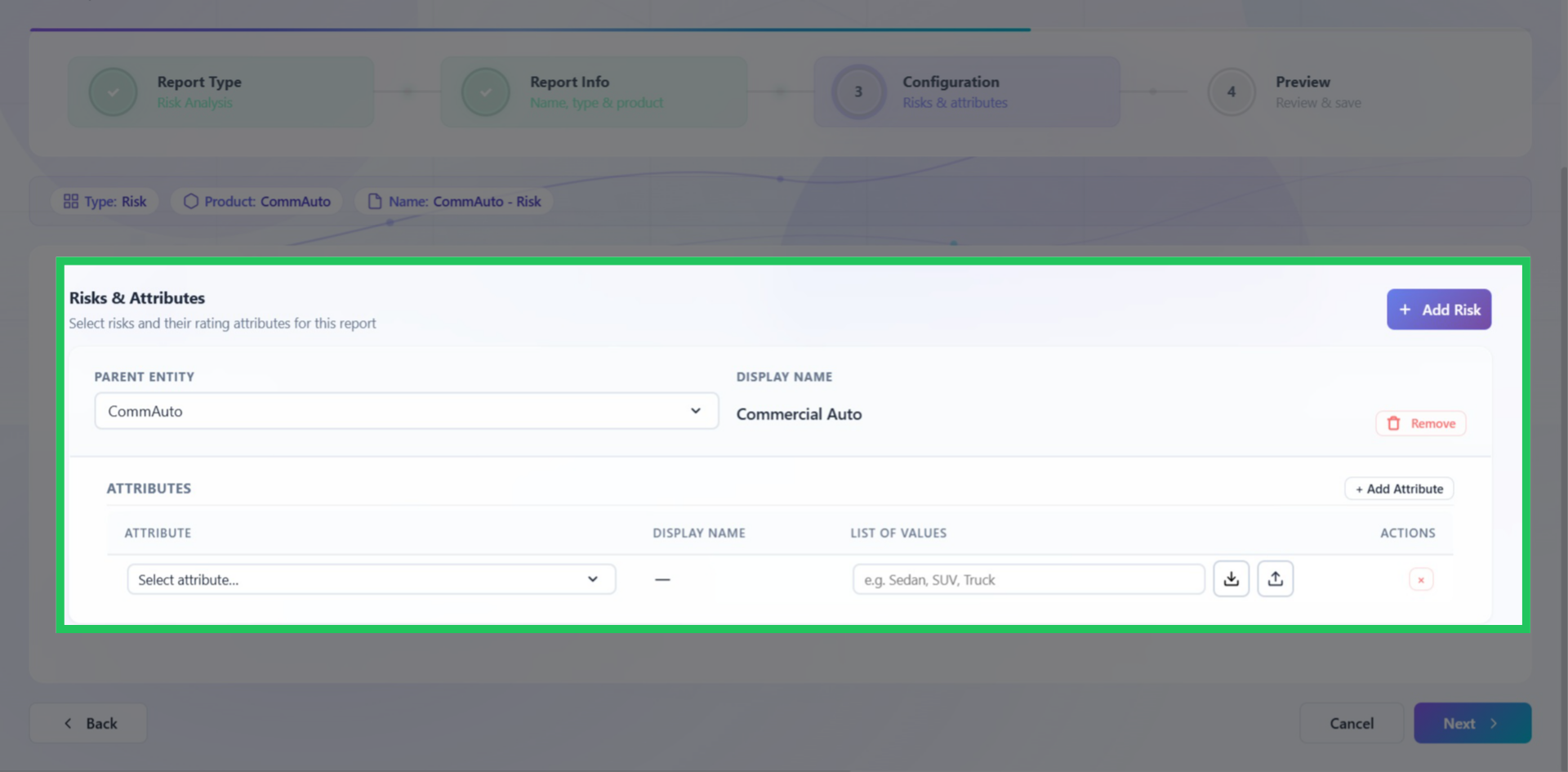
Click "Add" to create a new entry and select the appropriate Parent Entity.
Adding Attributes
Click "Add Attribute," choose the applicable attribute from the drop-down menu, and provide a list of applicable values.