Viewing Premium Metrics
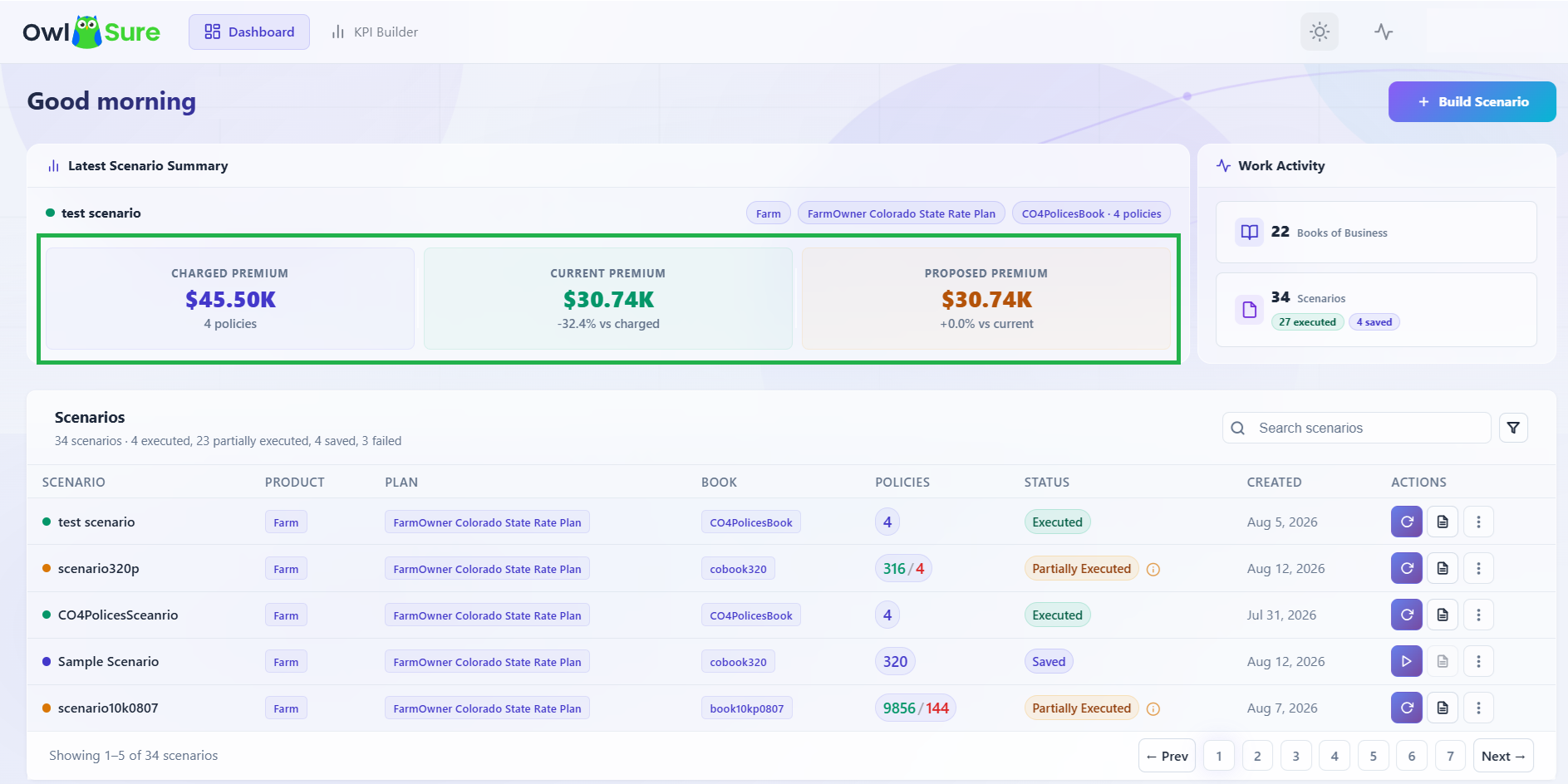
The dashboard displays key analytical metrics that allow users to compare portfolio performance and measure premium displacement across executed scenarios. The following premium metrics are surfaced:
| Metric | Description | When it appears |
|---|---|---|
| Charged Premium | The premium currently charged to policyholders under their existing policy terms. Reflects the in-force book as it stands today. | Available as soon as a Book of Business is selected, as it is derived from the policy data in the book. |
| Current Premium | The premium calculated by re-rating the book under the currently active rate plan, with no proposed changes applied. | Populated after a scenario has been executed. Requires the rating engine to process the book. |
| Proposed Premium | The premium calculated after applying the rate modifications configured in the scenario. | Populated after a scenario has been executed. Only meaningful when compared against Charged or Current. |
If the metrics are not showing
If the premium metrics panel is empty or showing no values, the most likely reasons are:
- No scenario has been executed yet. Current and Proposed Premium are only calculated during scenario execution. Create and run a scenario first, then return to the dashboard to see the values populated.
- No Book of Business is selected. The metrics are scoped to the selected book. Select a book from the dashboard to load its associated data.
Note: Premium metrics on the dashboard reflect the most recently executed scenario for the selected Book of Business. If multiple scenarios exist, navigate to a specific scenario's reports for a scenario-level breakdown.
Having trouble? Refer to our FAQs or Troubleshooting guide to know more.