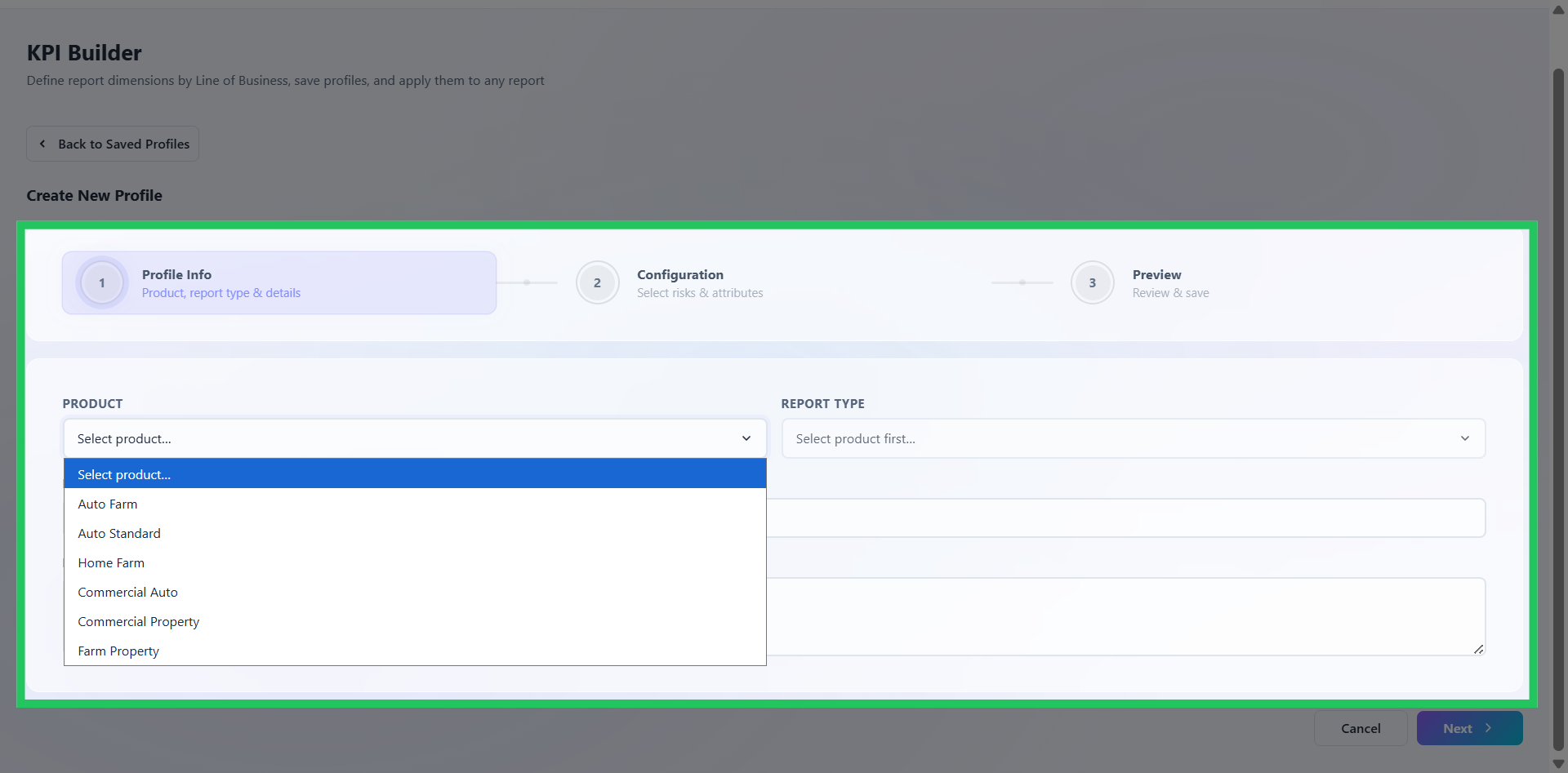
Selecting Report Type
The first step of the KPI profile workflow establishes the foundational metadata for the profile - the product, report type, name, and description. The report type selected here determines the analytical dimensions and configuration options available in subsequent steps.
The following profile types are available:
Risk Insights - Configures risk-level analytical dimensions and segmentation attributes for portfolio risk analysis and exposure evaluation. Supports actuarial risk segmentation, underwriting analysis, and exposure-based portfolio reporting. Example dimensions include Driver Age, Driver Class, Vehicle Age, Credit Score, Territory, Driving Record, Farm Acreage, and Livestock Count.
Rate Insights - Configures rating attributes and pricing dimensions for premium impact analysis and pricing evaluation. Supports actuarial pricing analysis, rate impact simulations, and premium comparison reporting. Example dimensions include Vehicle Type, Deductible, Coverage Limit, Credit Score, Claim Count, Driver Age, and Territory.
Coverage Insights - Configures coverage-level analytical dimensions for premium distribution, premium contribution, and pricing impact analysis at the individual coverage level. Supports coverage comparison, premium displacement evaluation, and coverage optimization analysis. Helps users understand which coverages contribute most to premium changes, coverage-level displacement during rate changes, and the impact of deductible and limit modifications.
Policy Insights - Configures policy-level reporting attributes and business segmentation dimensions for operational and portfolio reporting. Supports enterprise-level portfolio tracking, business monitoring, and KPI analysis. Example dimensions include Transaction Type, Agency, State, Effective Date, Policy Status, Policy Term, and Business Segment.
Define Profile Information
On the profile configuration page, provide the following:
- Product - Select the applicable product for which the KPI profile will be used.
- Report Type - Select the report type to associate with the profile.
- Profile Name - Enter a meaningful name that clearly identifies the purpose of the profile.
- Description - Provide a brief description documenting the profile's intended use and business context.
Review the information entered to confirm the profile is correctly associated with the intended product and report type, then select Next to continue.