Managing Scenarios
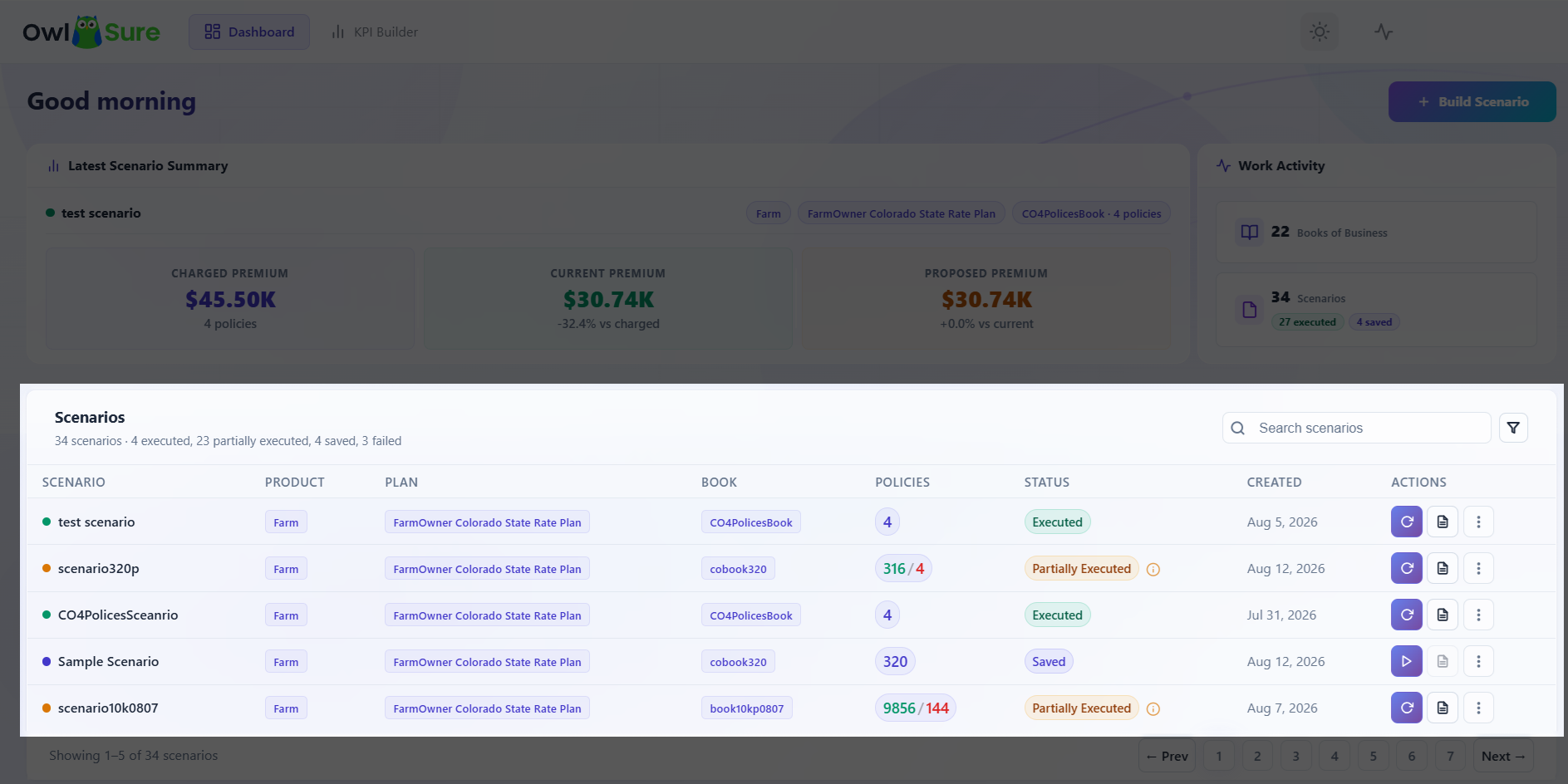
The Scenarios view lists all scenarios created within the selected Book of Business.
Each scenario displays:
- Scenario name, product, and plan
- Execution status - Saved, Executed, Partial Executed, Failed, or Running
- Number of modified rate tables
- Creation details
Available actions:
- Re-run - Execute the scenario again using its existing configuration.
- Reports - Access the analytical reports generated from the last execution.
- Edit - Modify the scenario name, rate tables, or assumptions before re-running.
- Failed Policies - Review the list of policies that failed during execution.
- Delete - Permanently remove the scenario and its associated data.
Note: Where a scenario has a status of Partial Executed, failed policies are isolated for separate review while successfully processed policies continue to generate report outputs.
Having trouble? Refer to our FAQs or Troubleshooting guide to know more.