Reports
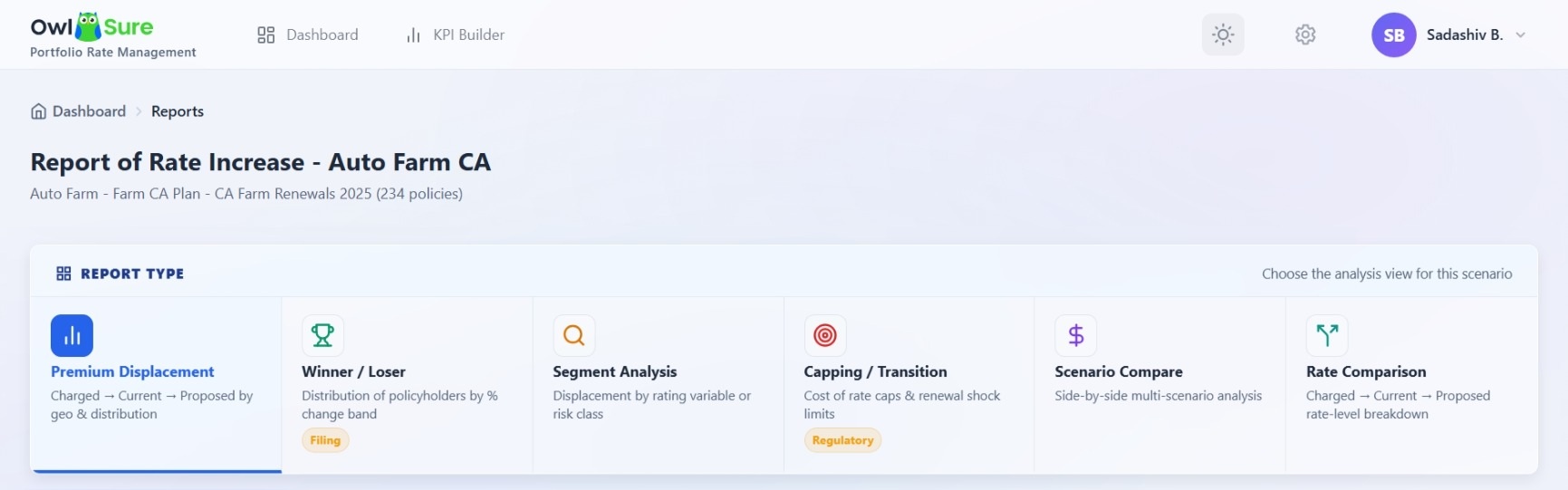
The Reports section provides a consolidated set of analytical views for evaluating the results of a What-If scenario. Each report presents the scenario from a different analytical perspective, allowing you to assess premium movement, policyholder impact, rating segments, scenario differences, and rate-level changes. The reporting framework supports Charged vs Current vs Proposed premium comparison, KPI-driven portfolio segmentation, slice-and-dice analytical reporting, dynamic filtering, multi-dimensional premium analysis, and policy-level premium breakdowns.
Reports integrate with KPI Builder profiles, enabling users to apply reusable analytical dimensions, switch reporting dimensions dynamically, and filter analysis using configurable attributes such as State, Agency, Vehicle Type, Territory, Driver Age, Coverage Type, and Risk Category.
Access Reports
From the relevant scenario, select Report to open the reporting workspace. The Reports page displays the available analysis views for the selected scenario.
Select an Analysis View
Review the available report types and select the analysis that best supports your reporting requirement. The available views include:
- Premium Displacement: Evaluates the movement from charged to current and proposed premium, including the distribution of premium changes.
- Winner / Loser: Shows how policyholders are distributed across premium change bands and identifies increases, decreases, and neutral outcomes.
- Segment Analysis: Examines premium displacement across selected rating variables or risk classes to identify where changes are concentrated.
- Scenario Compare: Enables side-by-side comparison of multiple scenarios to evaluate differences across key metrics.
- Rate Comparison: Provides a detailed comparison of charged, current, and proposed rates at the rate-component level.
Using Reports for Analysis
Each report provides a different perspective on the same underlying scenario results. Select the report that aligns with the question you need to answer, for example, overall premium movement, policyholder impact, segment-level changes, scenario alternatives, or detailed rate changes.
Where available, use the filters, KPI profile options, and export functionality to focus the analysis on the relevant portion of the business and support further review.
Having trouble? Refer to our FAQs or Troubleshooting guide to know more.