Configuring Scenario Assumptions
The Scenario Creation step enables users to define rate modifications and pricing assumptions for What-If analysis.
Supported editable rate tables include:
- Base Rates
- Commission Rates
- Deductible Factors
- Coverage Factors
- Territory Factors
- Class Factors
- Additional pricing tables configured for the environment
Scenarios can be:
- Saved for later execution
- Saved and run immediately
Assumptions
Define the assumptions to include in the scenario by selecting the applicable rate tables and applying the required adjustments.
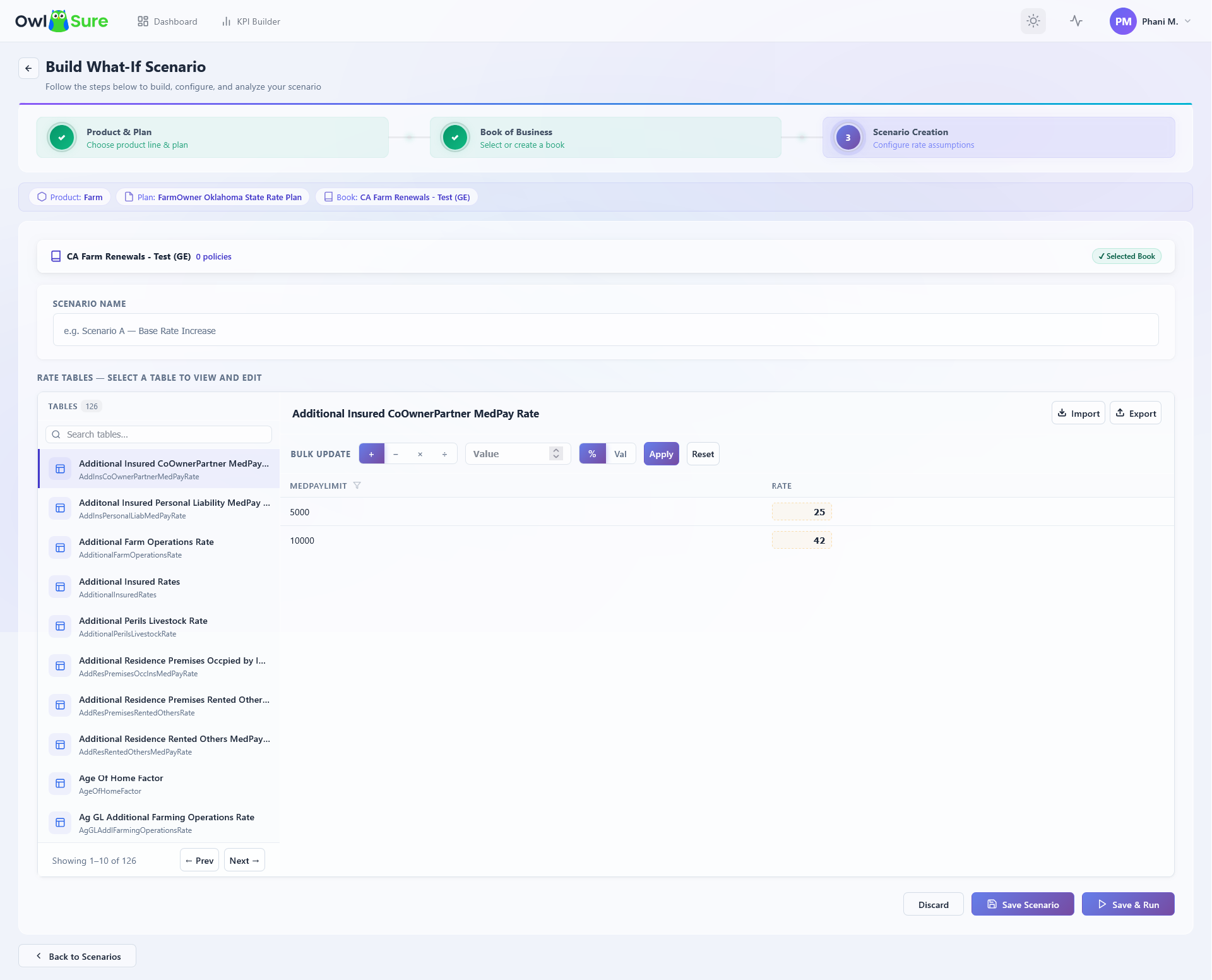
Adjustment methods:
- Bulk Adjustment - Apply a percentage or numeric change across all cells in a selected rate table at once. Use this for uniform changes such as a flat base rate increase.
- Inline Editing - Edit individual cells within a rate table directly. Use this when changes need to target specific values, such as adjusting a single territory factor.
Note: Adjustments can be applied as either percentage or numeric changes depending on the requirement.
To reset a modified table:
- Locate the modified rate table in the assumptions list.
- Select the reset option for that table.
- Confirm the reset to revert all changes back to the original values.
Note: Resetting a table removes all adjustments applied to it. This cannot be undone once confirmed.
Example: To test a base rate increase, select the Base Rates table and apply a bulk adjustment of the required percentage. Only the Base Rates table should show as modified - reset any other tables that appear modified unintentionally before saving.
Having trouble? Refer to our FAQs or Troubleshooting guide to know more.